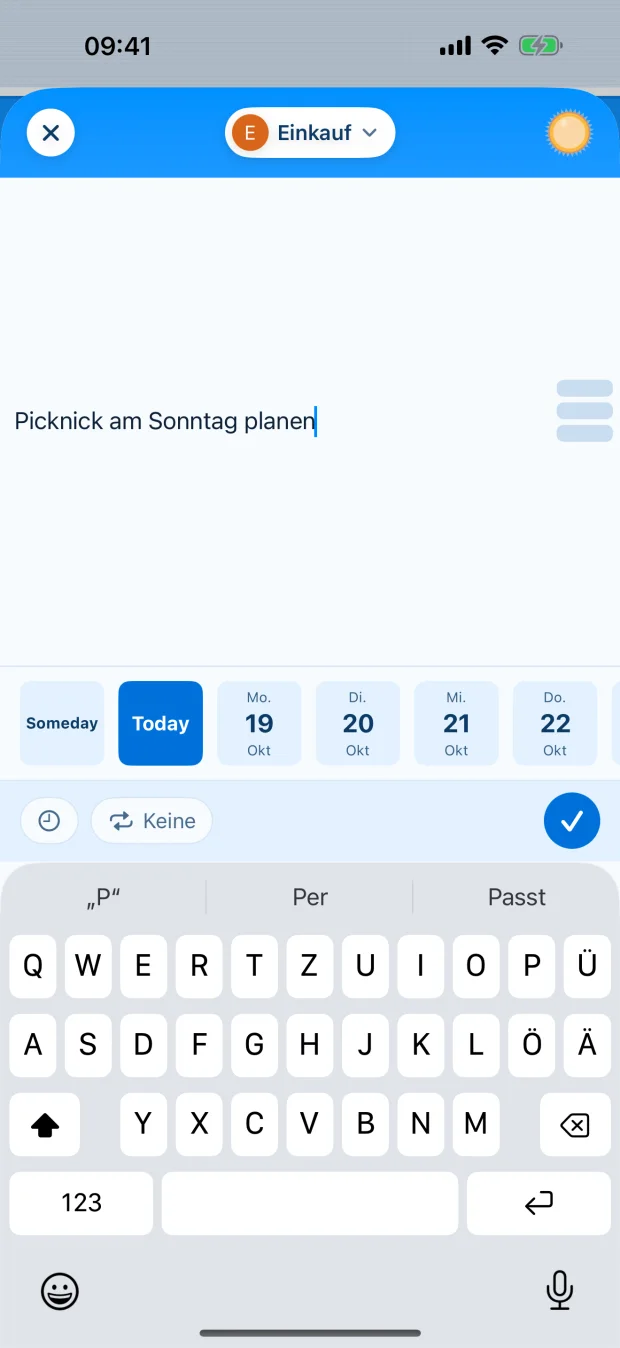
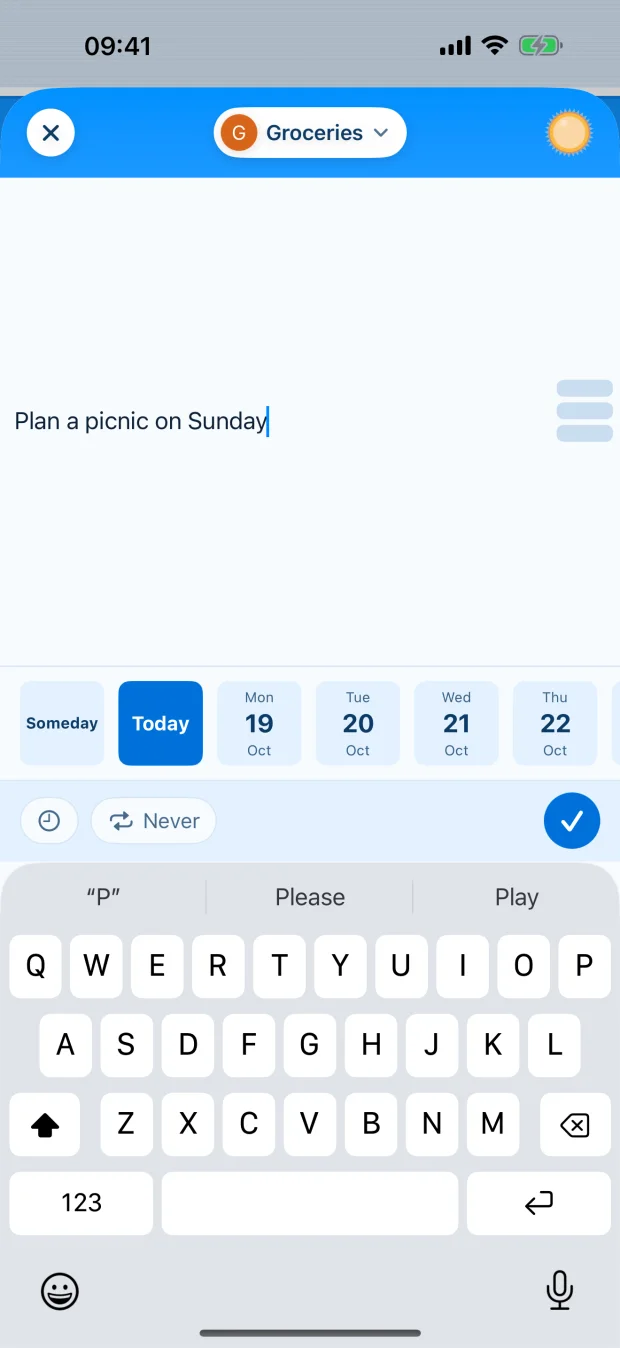
Neuer EditorA new editor
Tag, Uhrzeit, Erinnerung und Wiederholung sitzen in einem Dock direkt über der Tastatur. Day, time, reminder and repeat sit in a dock right above the keyboard.
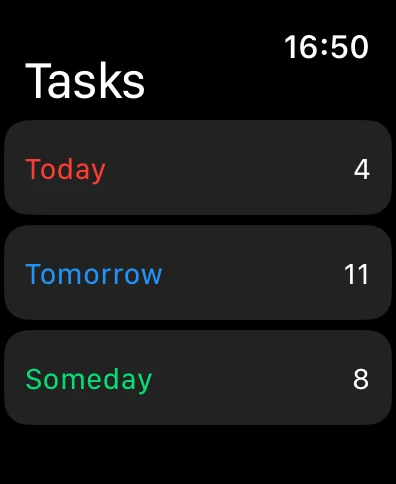
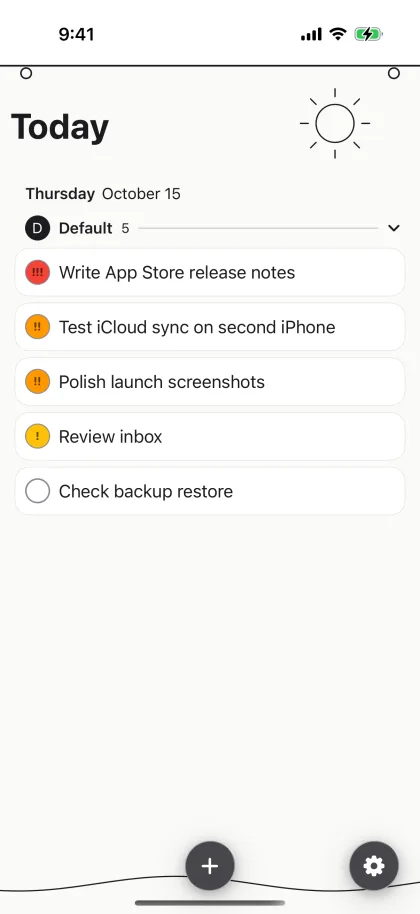
Today zeigt dir jeden Tag eine ruhige Liste mit genau dem, was jetzt dran ist. Yesterday, Tomorrow und Someday liegen nur einen Wisch der Sonne entfernt – auf iPhone, iPad und Apple Watch. Today gives you one calm list with exactly what's due – every single day. Yesterday, Tomorrow and Someday are just a swipe of the sun away – on iPhone, iPad and Apple Watch.
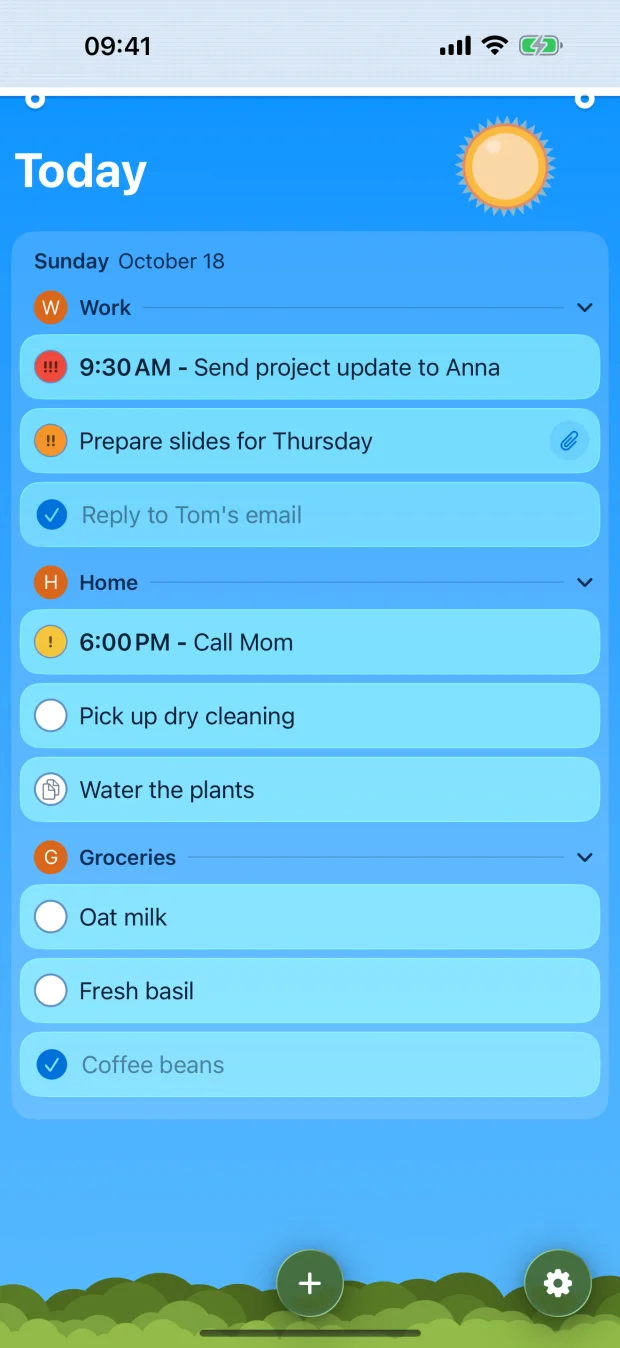
Wisch die Sonne – so wechselst du in der App zwischen den Ansichten, jede mit ihrem eigenen Himmel. Hier tippst du auf Mond und Sonne oder wischst übers iPhone. Swipe the sun – that's how you switch views in the app, each under its own sky. Here you can tap the moon and the suns, or swipe across the iPhone.
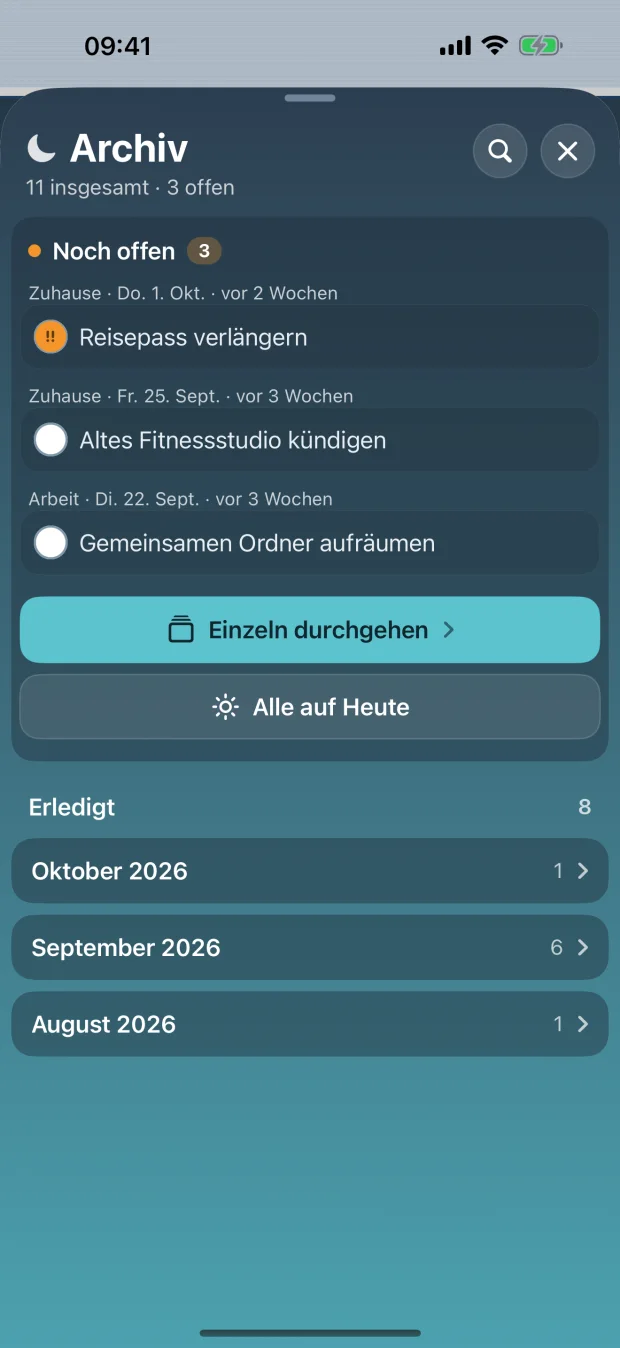
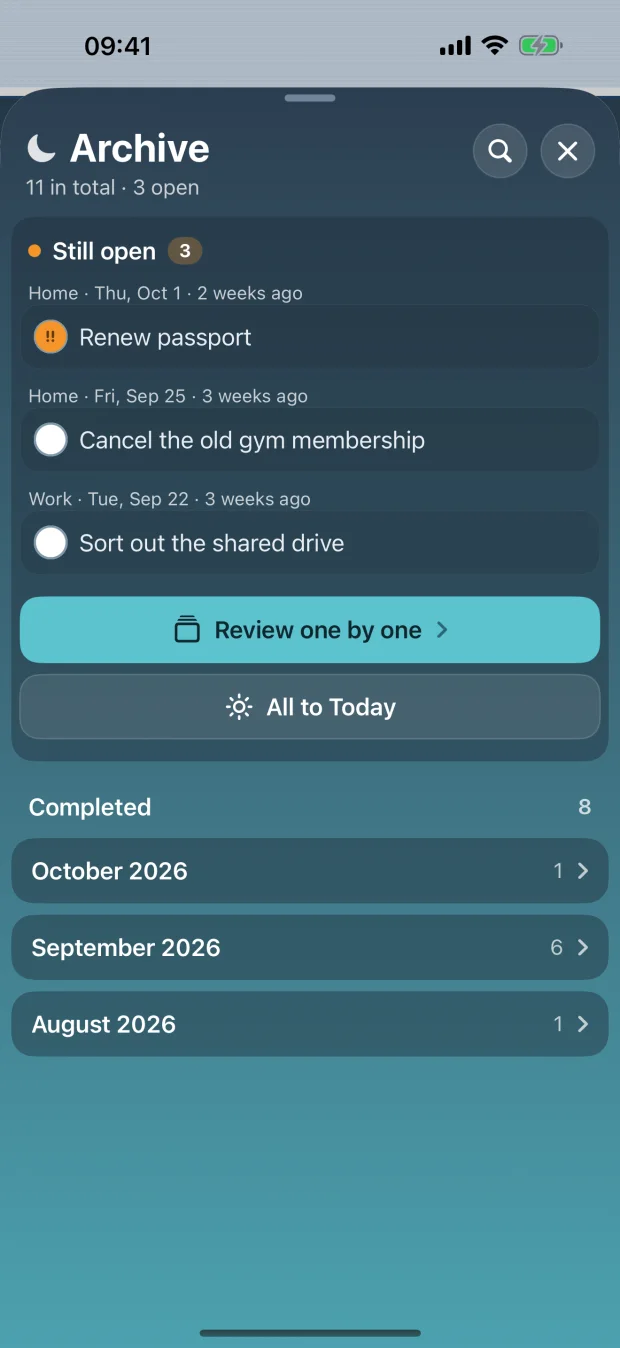
Was von früheren Tagen offen ist, wartet unter dem Mondhimmel. Im Archiv gehst du es einzeln durch – oder holst alles mit einem Tipp auf Today. Whatever is left from earlier days waits under the moonlit sky. In the archive you review it one by one – or move it all to Today with one tap.
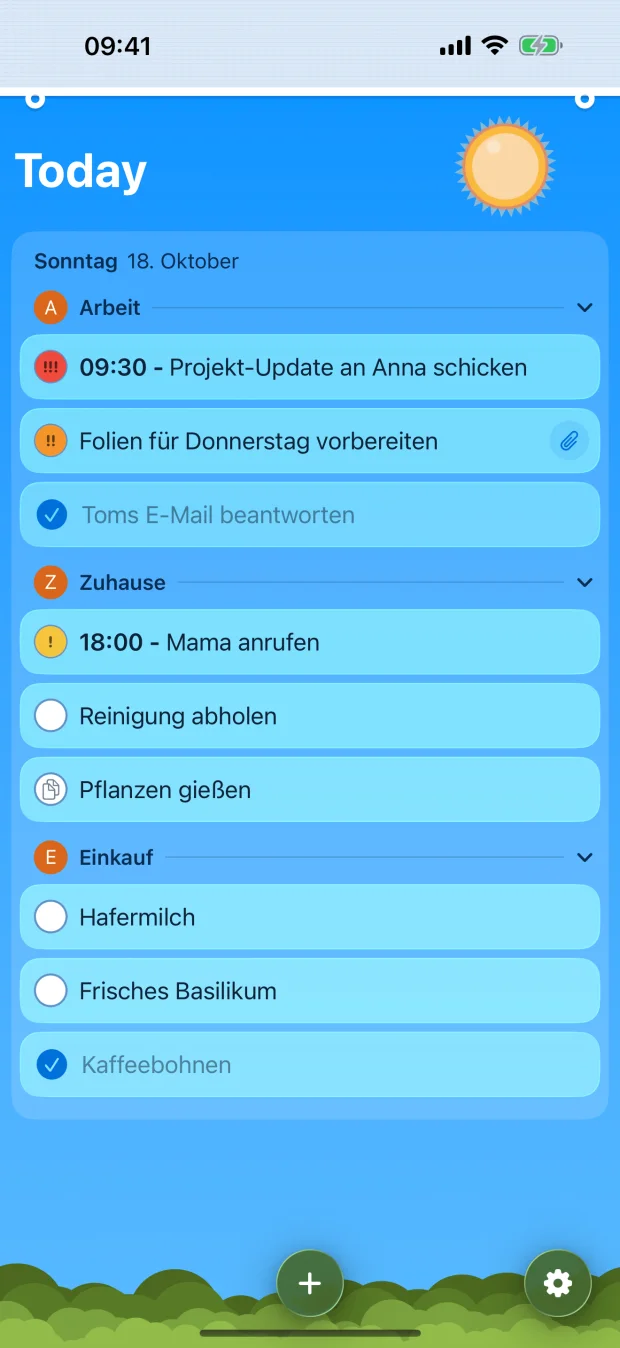
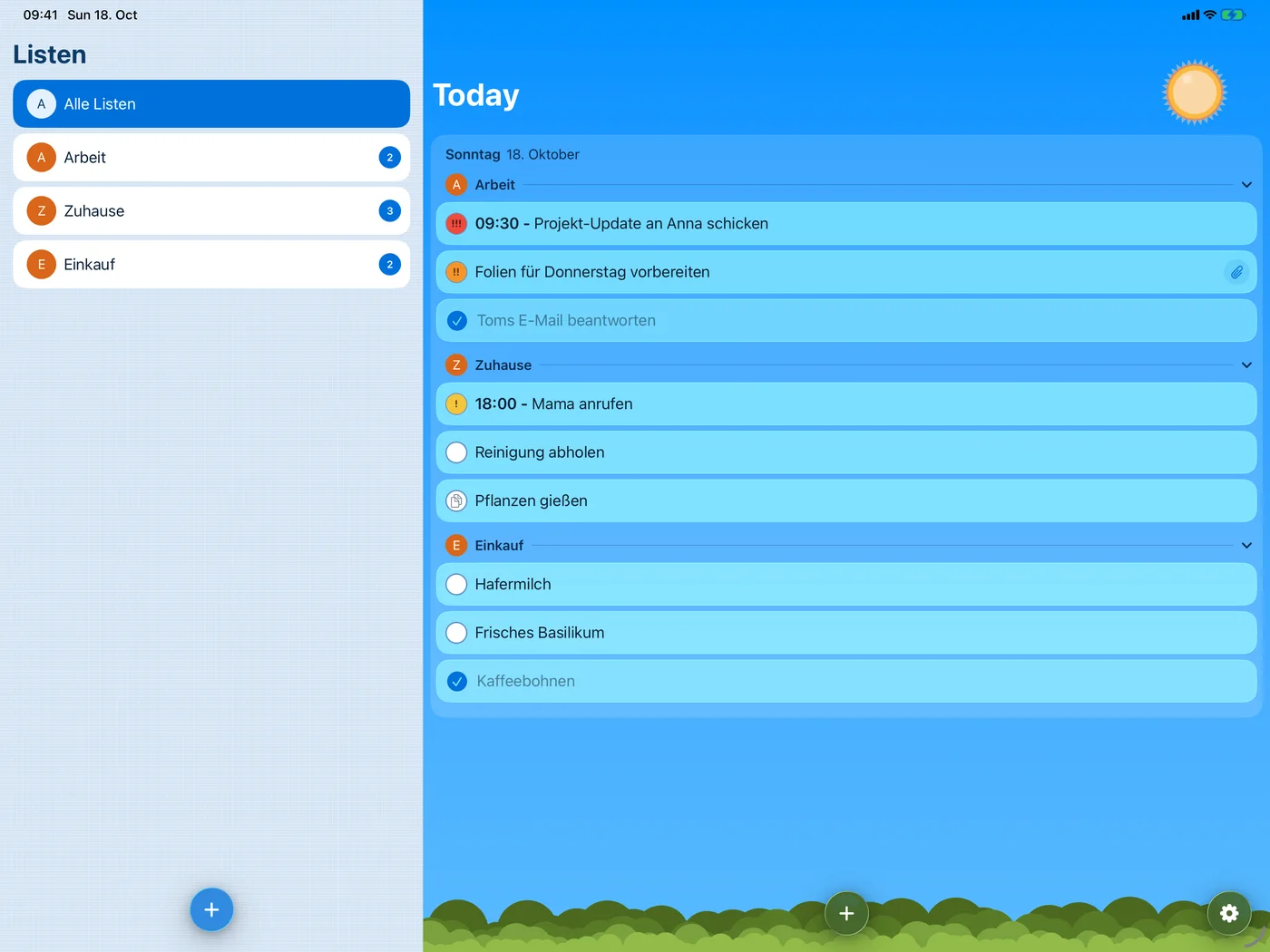
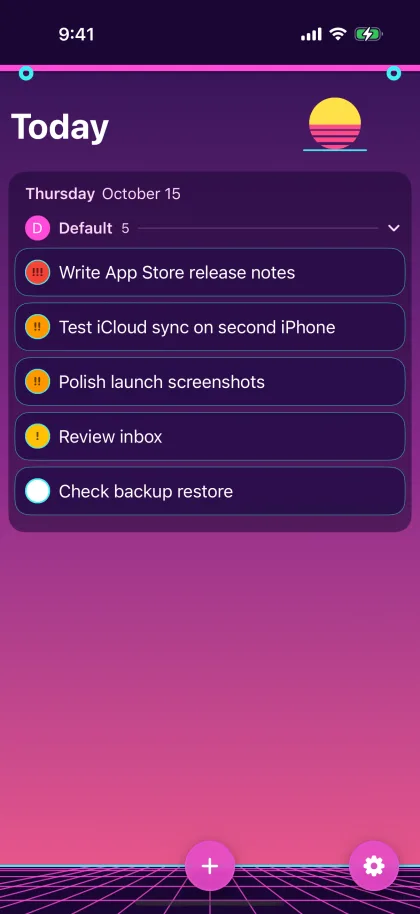
Dein Tag in einer Karte: nach Listen gruppiert, Uhrzeiten vorne, Prioritäten auf einen Blick. Listen klappst du mit einem Tipp ein. Your day in one card: grouped by list, times up front, priorities at a glance. Fold a list away with a single tap.
Plane voraus, ohne dass es dich heute ablenkt – morgen und die Tage danach, jeder in seiner eigenen Karte. Plan ahead without it distracting you today – tomorrow and the days after, each in its own card.
Ideen und Pläne ohne Datum warten hier, bis ihre Zeit gekommen ist. Ideas and plans without a date wait here until their time comes.
Wisch übers iPhoneSwipe across the iPhone
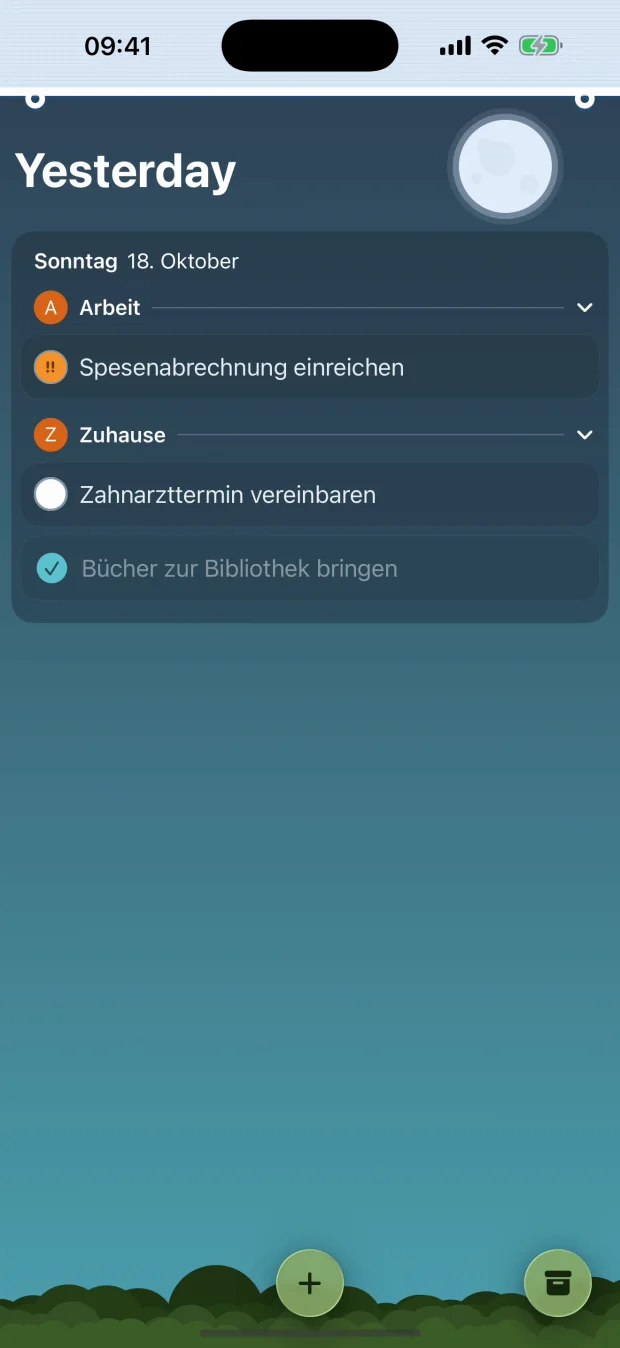
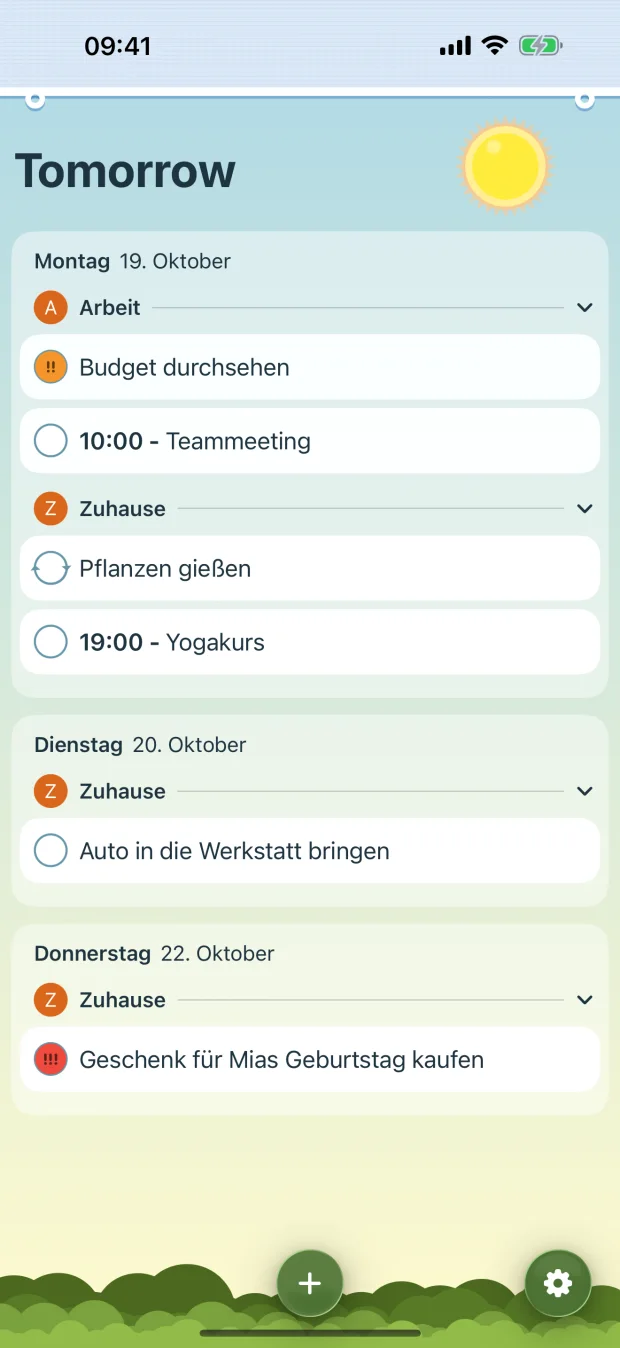
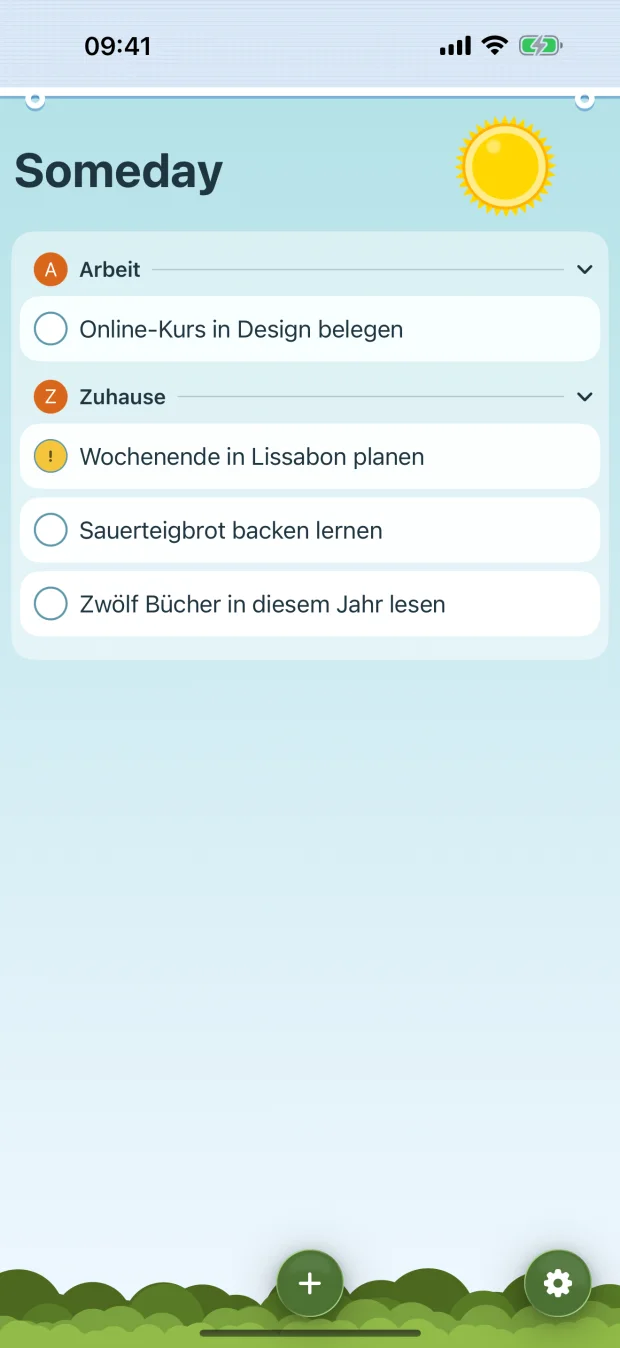
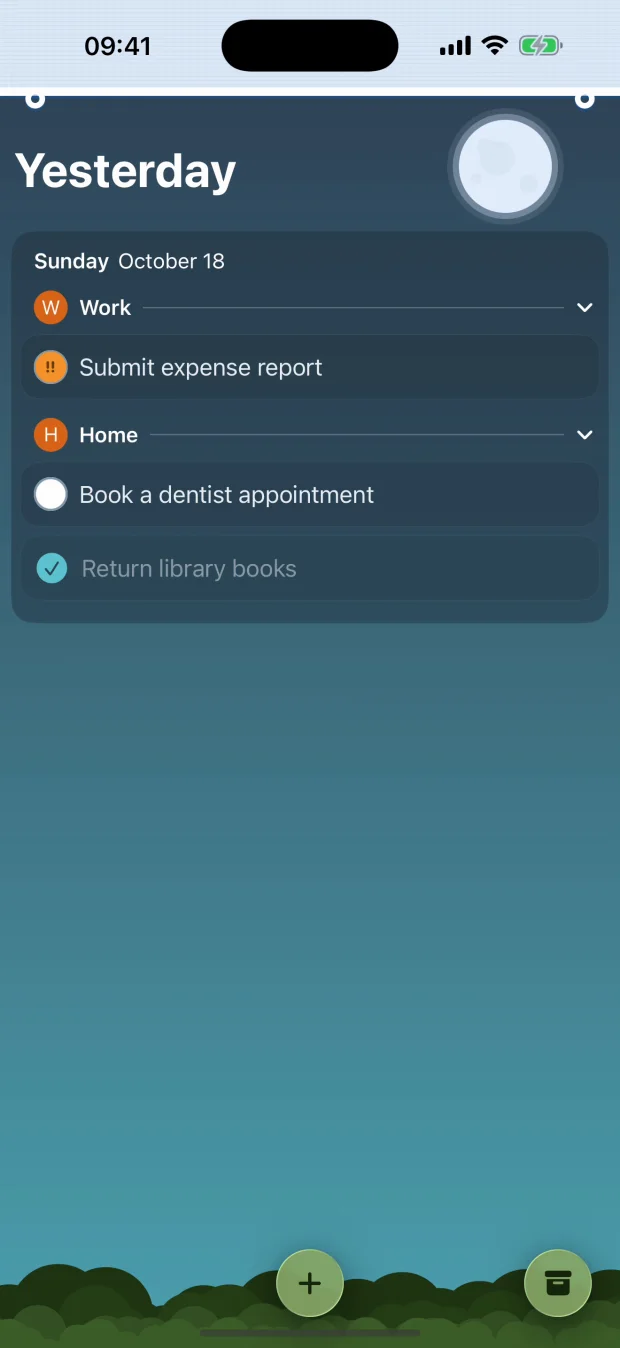
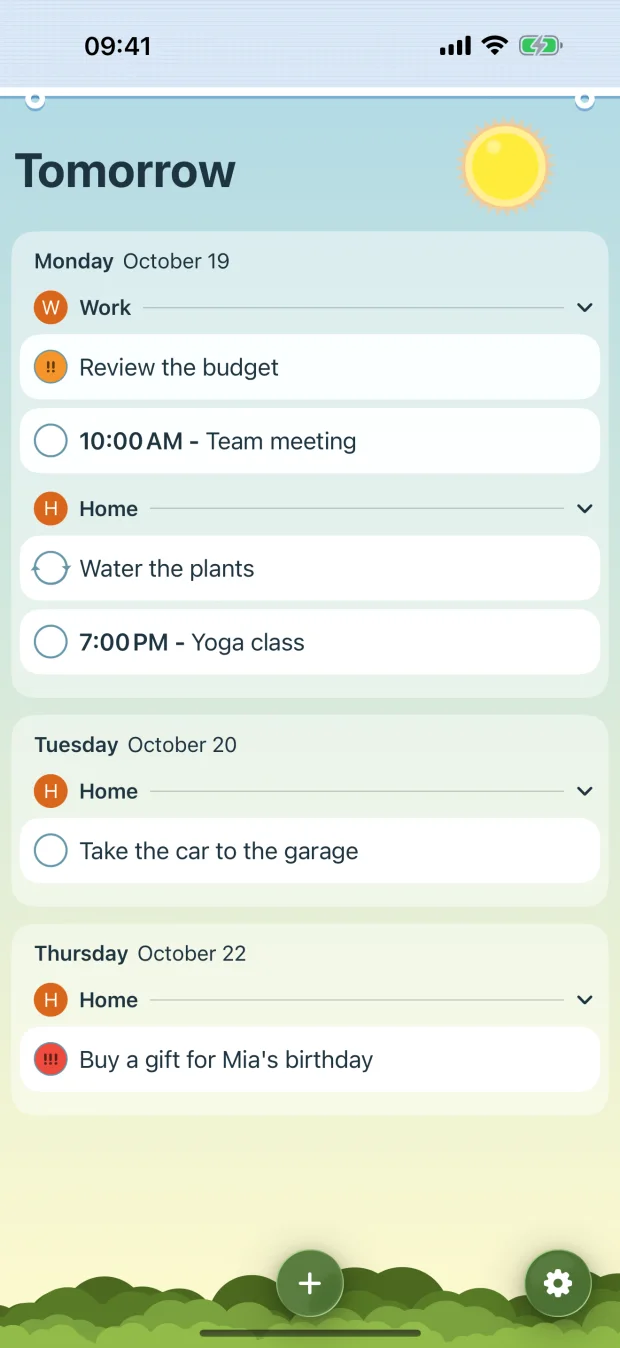
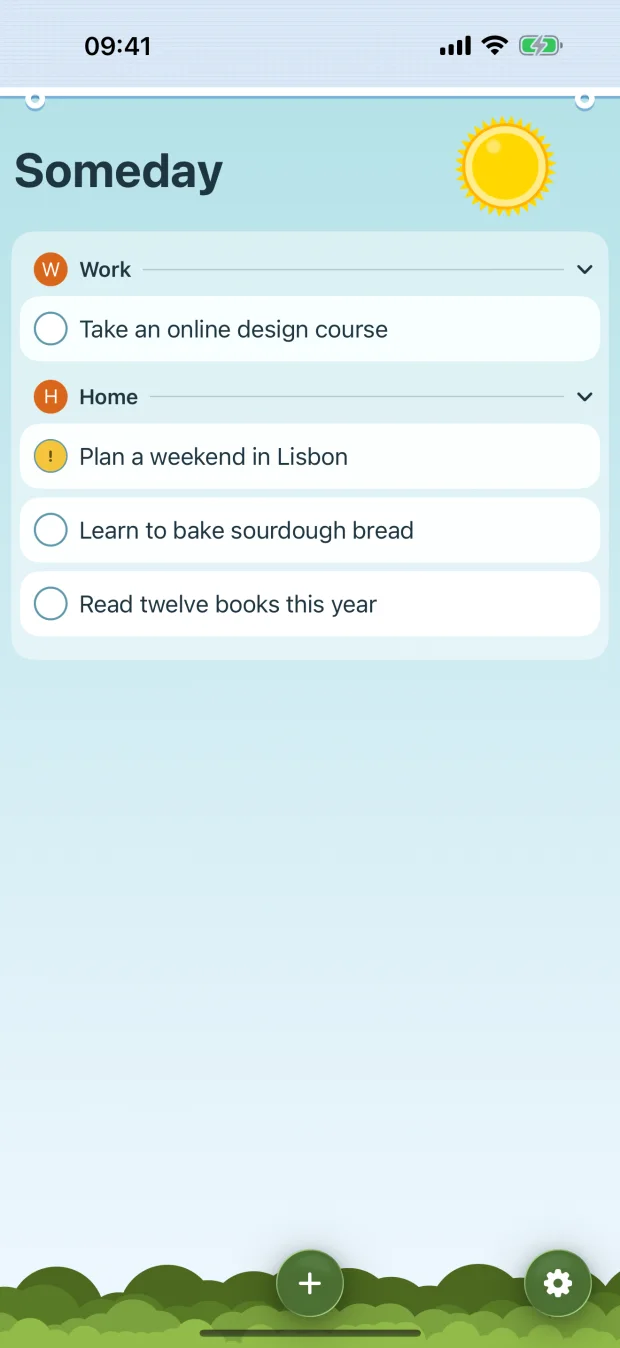
Jeder Tag in einer Karte, Glas-Zeilen unter dem Himmel und dazu ein neuer Editor, Notizen und Fotos sowie ein Archiv, in dem nichts verloren geht. Each day in one card, glass rows under the sky – plus a new editor, notes and photos, and an archive where nothing gets lost.
Tag, Uhrzeit, Erinnerung und Wiederholung sitzen in einem Dock direkt über der Tastatur. Day, time, reminder and repeat sit in a dock right above the keyboard.
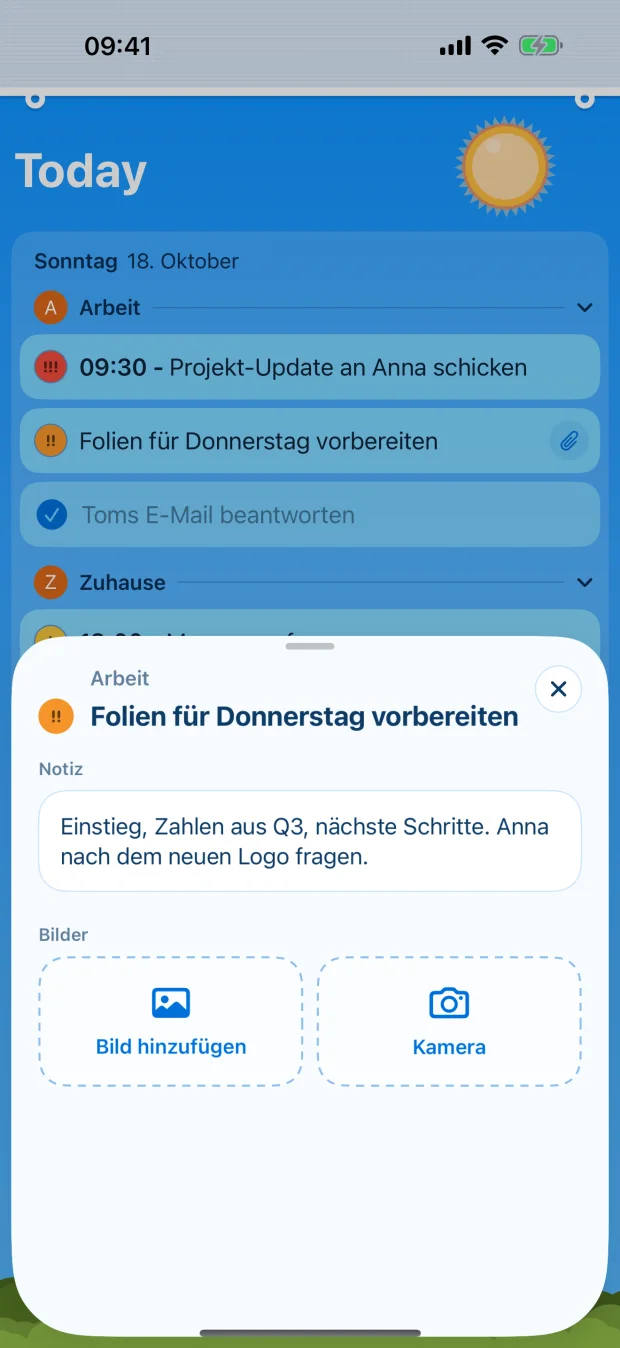
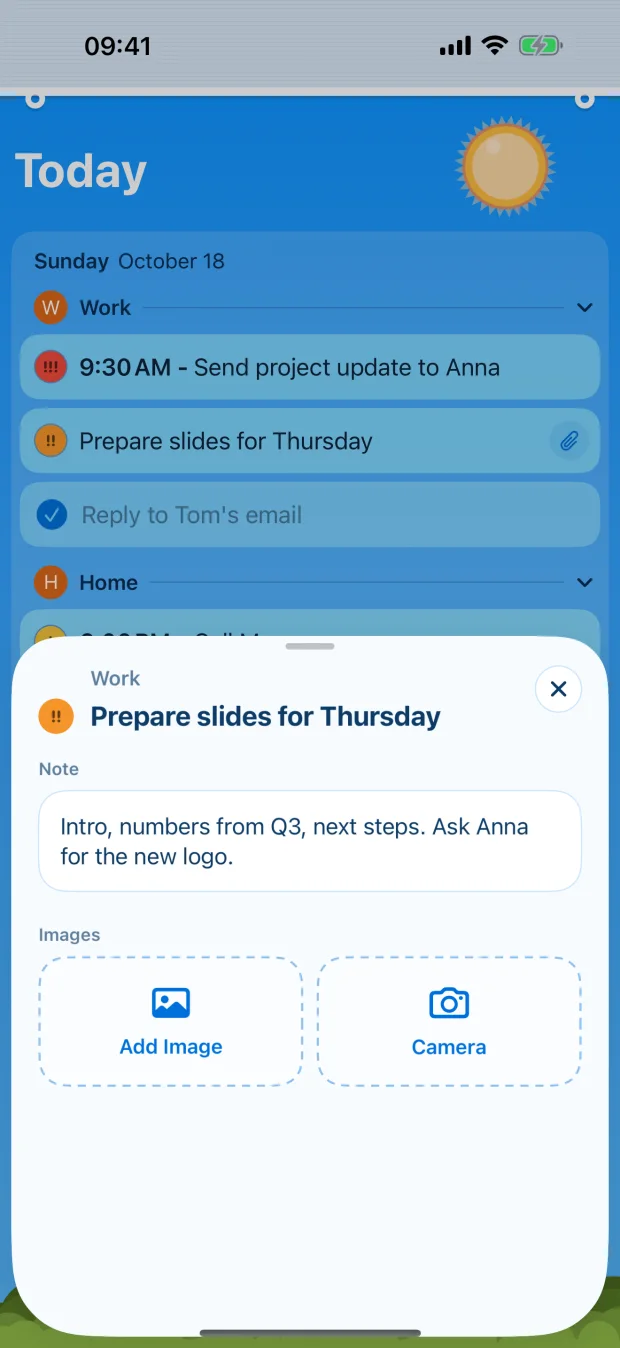
Hänge Notizen und Bilder an jede Aufgabe – alles auf einer Seite, in den Farben deines Themes. Add notes and pictures to any task – all on one page, in your theme's colors.
Offenes zuerst: einzeln durchgehen oder alles auf Today holen. Erledigtes nach Monaten, mit Suche. Open tasks first: review them one by one or move them all to Today. Completed ones by month, with search.
Im Querformat stehen die Listen links neben der Tageskarte. Today öffnet sich jetzt in einem Fenster – Split View, Slide Over und Stage Manager funktionieren wie gewohnt. In landscape your lists sit to the left of the day card. Today now opens in a single window – Split View, Slide Over and Stage Manager work as before.
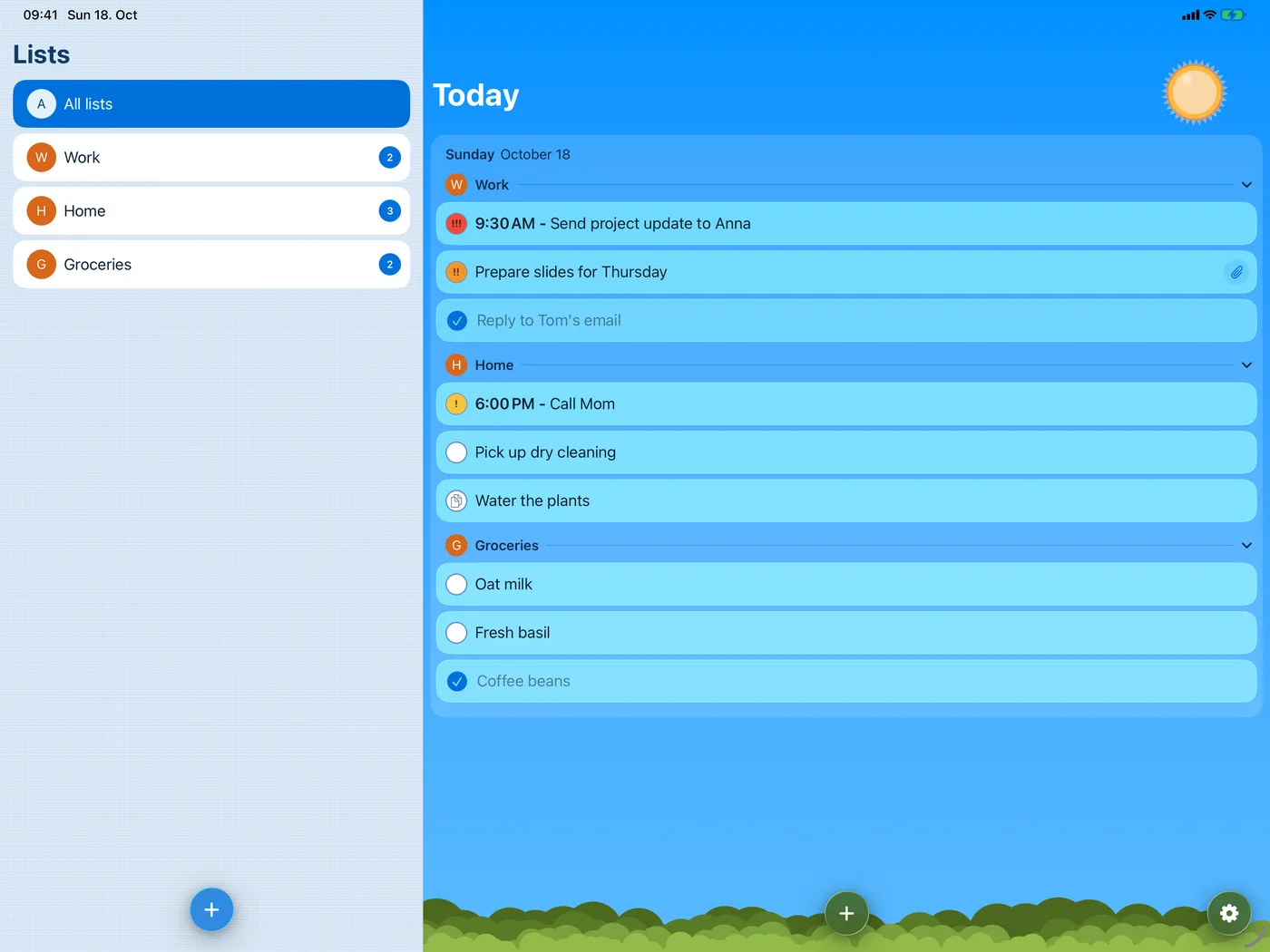
Erledigte Aufgaben bleiben kurz stehen und rutschen dann gemeinsam nach unten.
Checked tasks stay in place for a moment, then move down together.
Beim Abhaken und Verschieben spürst du jeden Schritt.
Feel every step when you check off and move tasks.
Auf dem iPhone wechselst du die Ansicht auch mit einem Wisch vom Bildschirmrand.
On iPhone, swipe in from the edge of the screen to switch views.
Wiederkehrende Aufgaben laufen stabil mit iCloud, ihre Erinnerungen kommen auch, bevor du die App öffnest.
Recurring tasks are more reliable with iCloud, and their reminders arrive even before you open the app.
Vier Schritte zum Start und eine neue Hilfeseite für alles Weitere.
Four steps to get started and a new Help page for everything else.
Bessere Unterstützung für VoiceOver und große Schrift.
Better support for VoiceOver and Dynamic Type.
Tippe auf Plus, schreib los, wähle den Tag. Uhrzeit, Erinnerung oder Wiederholung? Ein Tipp im Dock. Tap plus, start typing, pick a day. A time, reminder or repeat? One tap in the dock.
Täglich, wöchentlich, monatlich oder jährlich – Today legt sie pünktlich wieder auf deine Liste. Daily, weekly, monthly or yearly – Today puts them back on your list right on time.
Stell eine Uhrzeit ein, und Today meldet sich genau dann, wenn es so weit ist. Set a time and Today nudges you exactly when it's due.
Listen für Arbeit, Zuhause und alles andere. Sortiert nach Priorität oder in deiner eigenen Reihenfolge. Lists for work, home and everything else. Sorted by priority or in your own order.
Neu gestaltet: deine Aufgaben von heute auf dem Home-Bildschirm – klein, mittel oder groß. Redesigned: today's tasks on your Home Screen – small, medium or large.
Aufgaben anlegen und abhaken, direkt am Handgelenk. Add and check off tasks right on your wrist.
iPhone, iPad und Apple Watch gleichen sich automatisch ab – über deine private iCloud, ohne Konto bei uns. iPhone, iPad and Apple Watch stay in sync automatically – through your private iCloud, no account with us.
Aufgaben per Sprache anlegen und erledigen – oder in deine eigenen Kurzbefehle einbauen. Add and complete tasks by voice – or build them into your own shortcuts.
Backups als ZIP-Datei, auf Wunsch ohne Archiv – und auf jedem Gerät importierbar. Ältere Backups funktionieren weiter. Backups as a ZIP file, optionally without the archive – and importable on any device. Older backups still work.
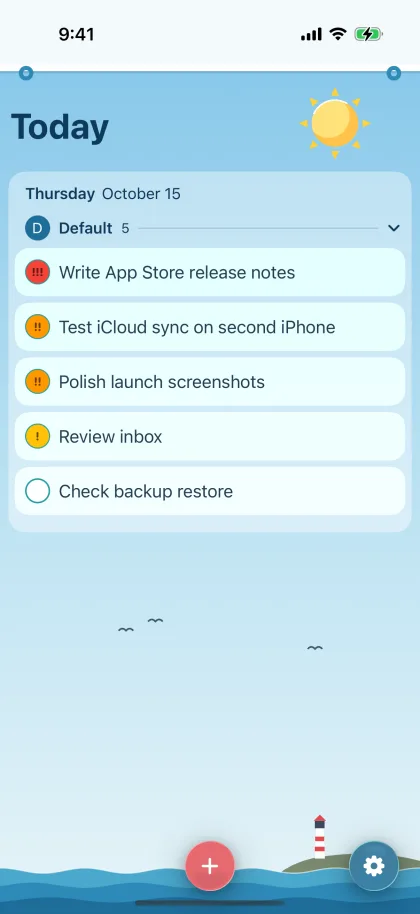
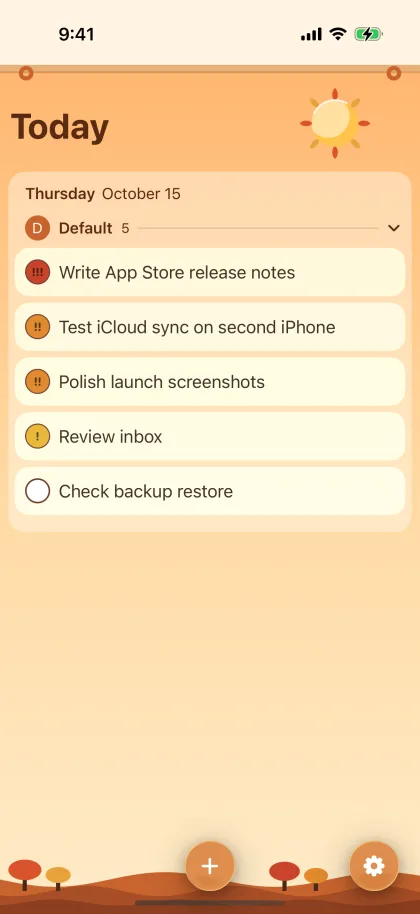
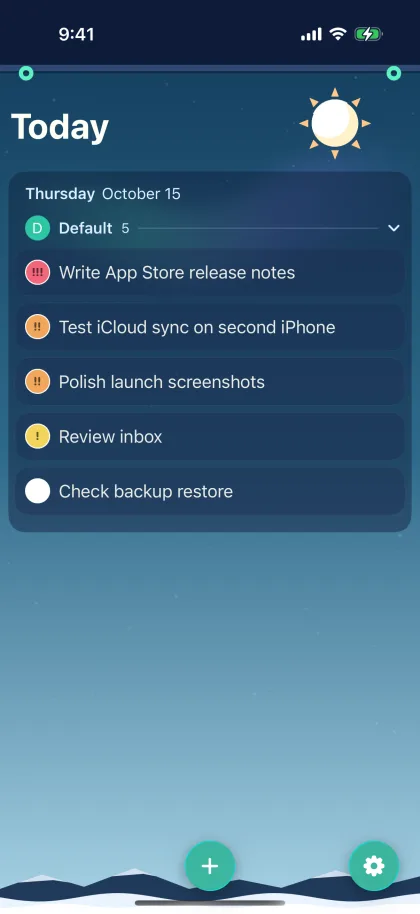
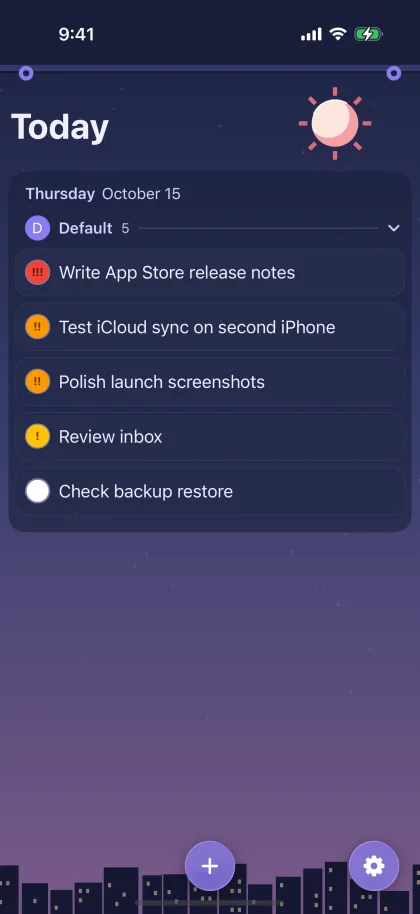
Jedes Theme bringt seinen eigenen Himmel und seine eigene Landschaft mit – von der Blumenwiese bis zur Neon-Skyline. Today ist gratis, acht weitere gibt es per In-App-Kauf, mit Vollbild-Vorschau in der neuen Galerie. Every theme brings its own sky and landscape – from a flower meadow to a neon skyline. Today is free, eight more are in-app purchases, with full-screen previews in the new gallery.
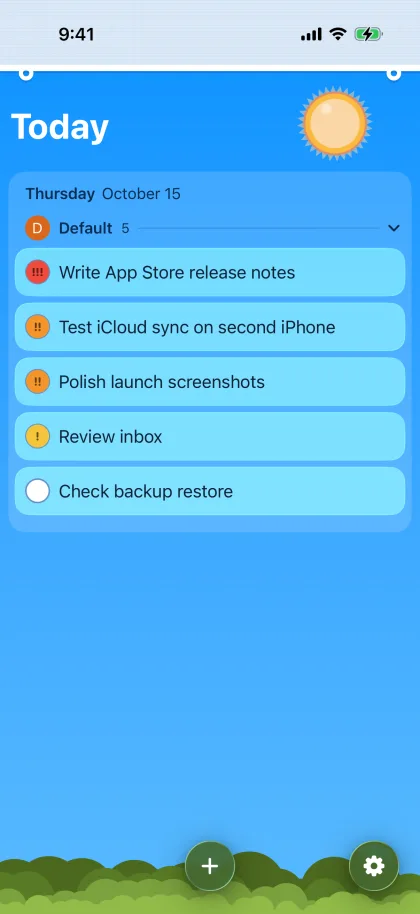
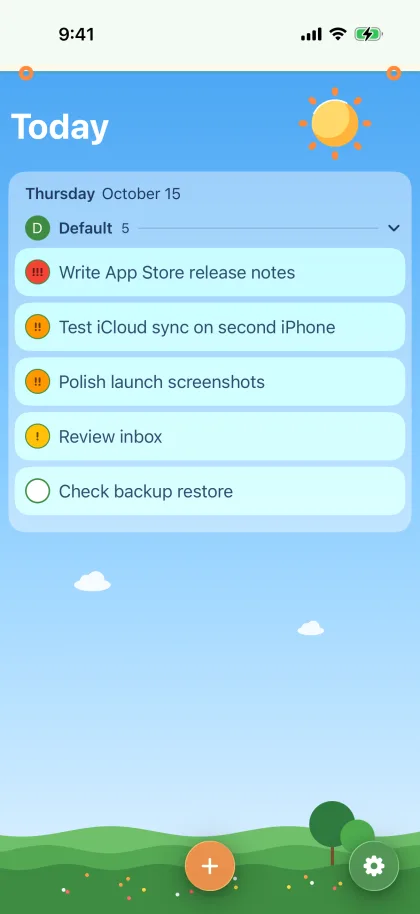
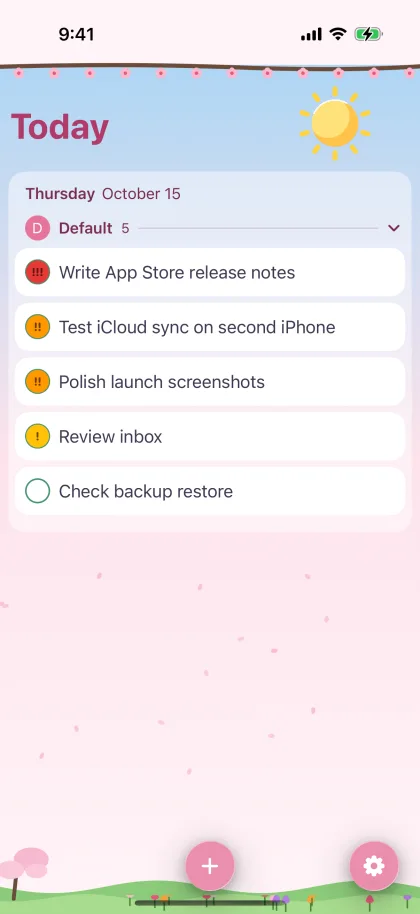
Kein Konto, keine Werbung, kein Tracking. Today hat keinen eigenen Server für deine Daten – was du notierst, bleibt auf deinen Geräten und in deiner privaten iCloud. No account, no ads, no tracking. Today has no server of its own for your data – what you write down stays on your devices and in your private iCloud.
Zur Datenschutzerklärung Read the privacy policyAufgaben, Notizen und Bilder liegen lokal oder in deiner privaten iCloud-Datenbank.
Tasks, notes and images live on your device or in your private iCloud database.
Keine Analyse-SDKs, keine Werbenetzwerke. Und auch diese Website setzt keine Cookies.
No analytics SDKs, no ad networks. And this website doesn't set any cookies either.
Backups sind einfache Dateien. Du entscheidest, wo sie gespeichert werden.
Backups are plain files. You decide where they're stored.
Hol dir Today 3.0 kostenlos für iPhone, iPad und Apple Watch. Das Theme Today ist gratis, acht weitere Themes gibt es per In-App-Kauf. Get Today 3.0 for free on iPhone, iPad and Apple Watch. The Today theme is free, eight more themes are available as in-app purchases.
KostenlosFree Laden im App StoreDownload on the App Store